Showing posts with label Pushbullet. Show all posts

Wednesday, 20 August 2014

Pushbullet Update Introduces Universal Copy and Paste Across Devices


pushbullet logo

Pushbullet, an app that continues to impress us with each new update, is back again with something that may blow your mind a little. The Pushbullet team is calling it “universal copy and paste,” because, through Pushbullet, you can now copy something on one device and then paste it through another, instantly.

To see universal copy and paste in action, be sure to watch the quick clip below. To try and explain it, though, think about a time where you are sitting at your computer and you find something on the web that you would like to share through an app on your phone that may not have a web or desktop experience. A quick copy of a URL on your desktop, for example, would then be available in your clipboard on a mobile device for sharing via app. It’s sort of like magic.

This new universal copy and paste requires the Pushbullet app for Android and the Pushbullet Windows desktop app (download). As of now, the Pushbullet team is working on Mac support. This new feature, however, does not work through the browser extensions.

Play Link


Tuesday, 8 July 2014

Android App of the Day : Pushbullet


Quick Review : 
The Good Pushbullet transmits items from desktop PC to Android device, or Android to PC, quickly and reliably.
The Bad You can push links, notes, and more to friends, but there's no way to control who can or can't send items to you.
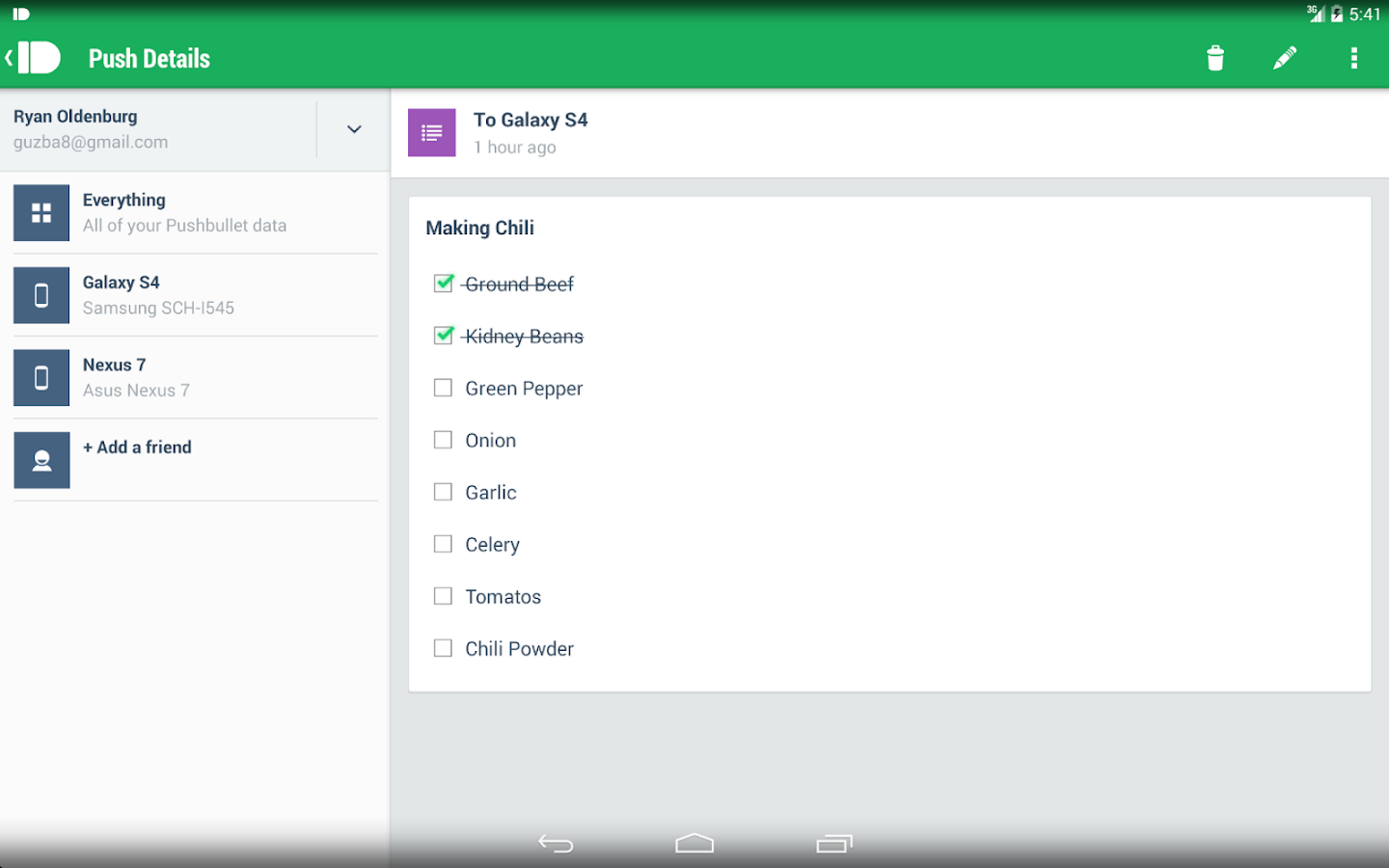
The Bottom Line Pushbullet is the easiest way to transfer files, links, notes, lists, and addresses between your desktop computer and your Android device.

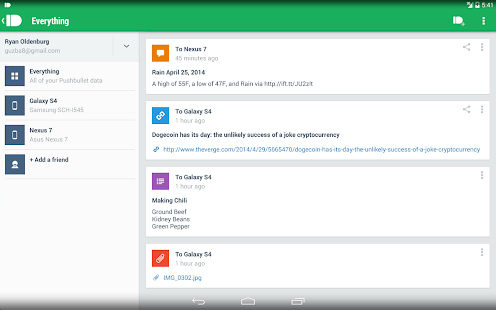
Pushbullet - screenshot thumbnail
Pushbullet - screenshot

Description
Never miss another phone call or text message again while using your computer!
Pushbullet automatically shows you all of your phone's notifications right on your computer. This means you can see who's calling or read text messages even if your phone is on silent or in another room.

Pushbullet also makes it easy to send pictures, files, links, and more to your devices and even to friends.
Sending things with pushbullet is the easiest way to share things between your devices:
• Push a link to your phone by just right-clicking on it on your computer. You can then go right to the link by tapping on the notification.
• Send pictures and other files to your phone wirelessly from your computer and open them right from the notification. No more digging things out of your email inbox or Dropbox.
• Send any address over to your phone so you can get right into Google Maps instead of having to look it up again on your phone.
• Put a todo list right in your notification tray and check of items as you go.

 Click Here to Install


Sunday, 29 June 2014

The 100 Best Android Apps of 2014


Organization
Keeping track of your digital life is tricky. Use these apps to turn your Android into your personal assistant.


Pushbullet

Free 
If you've ever had to email a link to your computer from your phone, Pushbullet is for you. This handy service lets you send notes, links, files, addresses, and even lists between your computer and your Android. You can even push all these between friends.


Google Drive 

Free 
If you use Android, you have a Google Account, and that means you have access to the excellent Google Drive cloud storage service. With Drive, you can easily access synced files across all your devices no matter where you are. Previously, Google rolled the document creation and editing powers of the now departed Google Docs into Drive, but recently it split them out into separate apps called Docs and Sheets. Be sure to pick these up for the full Google Drive experience.


Evernote 


Free, $5 per month premium account 
Once you start using it, this note taking app becomes a powerful tool for organizing just about everything. Notes can be anything—text, images, audio, or a mix—and are organized into notebooks. One of its killer features is optical character recognition, which makes the text in images searchable. I use it to keep track of the different beers I try and my comic book collection.


Any.do To-do List & Task List 


Free 
At its core, Any.do is a list manager. You can quickly create a shopping list, and have it sync between devices and even share it with others. The app also doubles as a task manager, keeping you on top of what needs to be done. A new feature, called the Any.do Moment, encourages you to take a second and review your plans for the day.


EasilyDo 


Free
If you're the forgetful type, EasilyDo is your savior. Once you hook the app up to a slew of supported social and calendar services, it suggests simple actions from a unified dashboard. Did you know it's Susie's birthday? EasilyDo will suggest you send her a message or a gift. It makes the little things easier, and proves its worth with saved time.


Mailbox 


Free
Gmail changed email when it rolled out over a decade ago, but Mailbox might be the next step for electronic mail. This app focuses on keeping your inbox manageable with handy swipe gestures to archive or delete messages. You can also opt to hide messages until you're ready to deal with them later. Mailbox isn't without its quirks, but it might just help you achieve email serenity.


Trello - Organize Anything 

Free 
Trello is a free service that aims to help you organize any project—everything from novels, to home improvement, to dinner parties. Its card-based interface is very mobile friendly, letting you easily add to-do items, pictures, and tags. All your changes swiftly sync between all your devices, and the Trello website.


Asana 


Free 
Trello and Any.Do work great for personal to-do lists and small projects, but Asana is the 800 pound gorilla of task management for teams. While other project management tools focus on collaboration, Asana is all about workflows using check-box tasks that can be assigned to individuals. In truth, the app pales in comparison to the web interface, but it's a fantastically powerful tool.—Next: Entertainment »